Cursor vs GitHub Copilot 2026: Which AI Code Editor to Choose?
 AI Tools Editorial
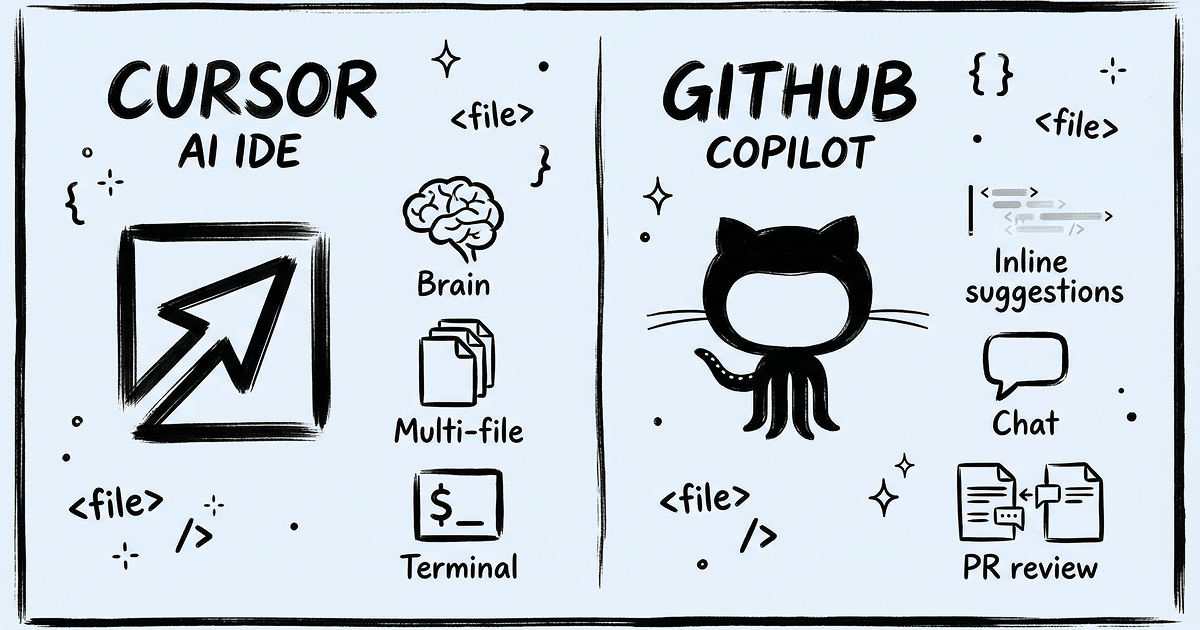
What Are Cursor and GitHub Copilot: Two Different Philosophies
Here's a question that would've sounded absurd three years ago: which AI should write your code? In 2026, it's the most practical decision a developer makes all quarter. The two front-runners — Cursor and GitHub Copilot — took radically different approaches to the same problem, and that difference matters more than most comparisons let on.
Cursor gutted VS Code and rebuilt it around AI from the ground up. With the April 2026 launch of Cursor 3.0, it's less "code editor with AI features" and more "AI platform that happens to edit code." It's not a plugin. It's a whole environment.
GitHub Copilot went the opposite direction: meet developers where they already are. It plugs into VS Code, Visual Studio, every JetBrains IDE (IntelliJ, PyCharm, WebStorm), Neovim, even Xcode. No migration required. No new muscle memory. Just AI layered on top of whatever you're already using.
One rebuilt the house. The other renovated the kitchen. Both valid approaches — but the right choice depends entirely on whether you're willing to move.
We spent six weeks using both tools on real projects (a Next.js SaaS app, a Python data pipeline, and a React Native mobile app) to find out which actually delivers. Here's what we learned.
Pricing: The Money Question
Let's get this out of the way first — it's always the first thing developers ask.
Cursor
| Plan | Price | What's Included |
|---|---|---|
| Hobby (free) | $0 | 2,000 completions, 50 premium requests/month |
| Pro | $20/mo | 500 fast premium requests, unlimited standard completions |
| Pro+ | $60/mo | Extended request limits, priority model access |
| Ultra | $200/mo | Maximum limits, parallel cloud agents |
| Teams | $40/user/mo | Team management, security policies |
Since June 2025, Cursor runs on a credit system: your monthly budget depletes based on which models you pick. Use Claude Opus 4.6 for everything? Credits burn fast. Stick to lighter models for routine completions? They stretch.
GitHub Copilot
| Plan | Price | What's Included |
|---|---|---|
| Free | $0 | 2,000 inline suggestions, 50 premium requests/month |
| Pro | $10/mo | 300 premium requests, unlimited completions |
| Pro+ | $39/mo | 1,500 premium requests, access to Claude Opus 4 and o3 |
| Business | $19/user/mo | License management, SSO, audit logs |
| Enterprise | $39/user/mo | 1,000 premium requests, custom models, Knowledge Bases |
Go over your premium request limit on Copilot? That's $0.04 per request. Adds up faster than you'd think.
The kicker? Copilot Pro costs exactly half of Cursor Pro — $10 vs $20 per month. Over a year, that's $120 sitting on the table. But Cursor gives you more premium requests per dollar (500 vs 300) and broader model access on the base tier. Tight budget? Copilot wins. Need maximum AI horsepower? Cursor earns its premium.
AI Model Support
Both tools went multi-model in 2026. You're no longer stuck with whatever the vendor chose for you.
Cursor Pro opens up GPT-5.4, Claude Opus 4.6, Claude Sonnet 4.6, Gemini 3 Pro, and Grok Code. Here's what we actually do: Sonnet handles fast autocomplete (snappy, cheap), Opus tackles complex refactoring (slower, worth it). Cursor also shipped their own Composer model — a coding-specific model that runs 4x faster than alternatives at comparable quality. We were skeptical. It's legit.
GitHub Copilot Pro defaults to OpenAI models, which work fine for most tasks. The Pro+ tier ($39/mo) unlocks Claude Opus 4 and o3. Enterprise customers can fine-tune models on their own codebase — a serious edge for large orgs with proprietary frameworks.
Agent Mode: Where the Real Battle Is

Forget autocomplete. The 2026 fight is about agents — AI that doesn't just suggest code but goes off and builds things autonomously. Both tools have it. The implementations feel very different.
Cursor: Born for Agentic Work
Cursor 3.0 transformed from a smart editor into a parallel engineering platform. That's not marketing — we watched it work.
Background Agents clone your repo to a cloud VM, work on a task independently, and open a pull request when they're done. You can run up to 8 in parallel. Each gets its own isolated Ubuntu environment. We kicked off three agents before lunch — one writing API endpoints, one generating tests, one refactoring a utility module. Came back to three PRs. Not all perfect, but all reasonable starting points. That's wild.
Composer 2.0 is an enhanced multi-file editor that actually understands your project structure. It uses semantic search across the codebase, so when you ask it to "add error handling to all API routes," it finds them all — even the ones you forgot about. In a 200-file project, this is the difference between a useful tool and a toy.
Design Mode shows live UI previews of changes right in the editor. For frontend work, seeing the result before committing saves real iteration cycles.
Automations let you wire up triggers from GitHub Issues or CI/CD failures that automatically spin up Cursor agents. We set one up that auto-generates a fix PR when a specific test suite fails. Does it always work? No. Does it save time when it does? Absolutely.
GitHub Copilot: Agent Mode in Your Comfort Zone
Copilot's agent can explore your codebase, run terminal commands, and edit multiple files. There's also Copilot Cloud Agent for background work. It's capable.
Here's the honest comparison: on SWE-bench (the standard benchmark for AI coding), Copilot solves 56% of tasks vs Cursor's 52%. Copilot edges ahead on raw benchmark performance. But benchmarks don't capture everything. In our real-world testing, Cursor felt more reliable on complex multi-file refactors — the kind where you need the AI to understand how 8 files interact. Copilot was better at isolated, well-defined tasks.
IDE Support and Ecosystem
This is where GitHub Copilot has an unassailable lead. It works in VS Code, Visual Studio, every JetBrains IDE, Neovim, and Xcode. Your team has a PyCharm devotee, a Vim purist, and someone who refuses to leave Visual Studio? Copilot covers all of them. That matters enormously in real organizations.
Cursor is a standalone app built on VS Code. If VS Code is already your editor, the transition is smooth — extensions carry over, shortcuts are the same. But if you live in IntelliJ or WebStorm? You're either maintaining two editors or fully migrating. Neither option is painless.
Who Cursor Is Best For
Cursor makes sense if you're ready to go all-in on AI-driven development. Specifically:
- You work on large, interconnected codebases where context across dozens of files matters
- You want to hand off entire tasks to background agents — "build the CRUD API for this model" or "write integration tests for this service"
- You do full-stack work and the visual Design Mode saves you from constant browser switching
- You care about model flexibility and want to pick the right model for each task type
- You're already a VS Code user, so the switch costs you almost nothing
Who GitHub Copilot Is Best For
Copilot is the pragmatic choice when stability and integration outweigh bleeding-edge features:
- You work in JetBrains, Visual Studio, or Neovim and switching editors is a dealbreaker
- $10/month fits the budget better than $20 — especially when multiplied across a team
- Your organization runs on GitHub Enterprise and Copilot's native integration with repos, Knowledge Bases, and internal docs is a real advantage
- You want solid code completion and AI chat without restructuring your entire workflow
- Corporate requirements demand audit logs, SSO, and centralized license management
Pros and Cons at a Glance
Cursor
Pros:
- The deepest AI integration of any editor — AI isn't bolted on, it's the foundation
- Background agents: up to 8 autonomous cloud workers running in parallel
- Multi-model access: GPT-5.4, Claude Opus 4.6, Sonnet 4.6, Gemini 3 Pro, plus the proprietary Composer model
- Composer 2.0 handles multi-file edits with genuine codebase awareness
- Design Mode gives you visual feedback without leaving the editor
Cons:
- Locked to a single editor (VS Code fork) — JetBrains users are out of luck
- $20/month is double Copilot's price, and that gap stings on team plans
- The credit system makes costs unpredictable when you lean on heavy models
- Steep learning curve — mastering agents, automations, and model selection takes time
GitHub Copilot
Pros:
- Works everywhere: VS Code, JetBrains, Visual Studio, Neovim, Xcode
- $10/month Pro plan — the most affordable serious AI coding assistant available
- Free tier with 2,000 completions genuinely works for side projects
- Enterprise integration with the GitHub ecosystem is mature and battle-tested
- Slightly better SWE-bench scores (56% vs 52%)
- Free for students and educators — a smart long-term play by GitHub
Cons:
- Limited model selection on cheaper tiers
- Agent mode works but feels a generation behind Cursor's
- Multi-file editing doesn't match Composer 2.0's sophistication
- Full potential requires deep GitHub ecosystem buy-in
Can You Use Both?
Yes. And plenty of developers do. The most common 2026 combo we see: Cursor for daily coding paired with Claude Code in the terminal for complex autonomous tasks. Or Copilot in your IDE plus Claude Code for agentic scenarios where you need the AI to work independently.
Running Cursor and Copilot simultaneously? Possible, but redundant. They overlap too much. Pick one as your primary and supplement with a terminal-based agent if you need more.
Verdict
Choosing between Cursor and GitHub Copilot isn't about which tool is "better." It's about which philosophy matches how you work.
Pick Cursor if you want maximum AI capability, don't mind paying $20/month, and your work regularly involves complex multi-file tasks where autonomous agents provide genuine leverage. The learning investment pays off.
Pick Copilot if you value stability, work outside VS Code, need to keep costs down, or your organization is built on GitHub Enterprise. It does less, but what it does, it does reliably — in whatever editor you already love.
One thing is clear regardless: 2026 is when AI coding tools stopped being optional. The question isn't whether to use one. It's which one fits your workflow.
FAQ
Q: Is Cursor free? Can I try it without paying? A: Cursor's Hobby tier gives you 2,000 completions and 50 premium requests monthly at no cost. Enough to evaluate, but real work demands the $20/month Pro plan.
Q: Can I install GitHub Copilot inside Cursor? A: Technically yes — Cursor is a VS Code fork, so the extension installs. Practically? You'd be paying for two AI services doing the same thing. Save yourself the confusion and pick one.
Q: Which tool is better for someone just learning to code? A: GitHub Copilot. Lower cost, no editor migration, generous free tier, and it's free for students. Less overwhelming than Cursor's agent-heavy approach.
Q: What is SWE-bench and should I care about it? A: SWE-bench measures how well AI solves real GitHub Issues. Copilot hits 56%, Cursor hits 52%. Useful as a data point, but real-world experience often diverges from benchmarks — we've seen Cursor outperform on complex tasks despite the lower score.
Q: Can I use Claude in both tools? A: Yes. Cursor Pro includes Claude Opus 4.6 and Sonnet 4.6. GitHub Copilot Pro+ ($39/mo) includes Claude Opus 4. Both support multi-model selection — it's table stakes in 2026.
